Your company profile has been suspended — first aid and next steps
The email from Google with the subject “Your business profile has been suspended” hits most people unexpectedly. From one minute to the next, you disappeared from the digital map — invisible in Google search and on maps. Especially for local shops, restaurants or tradesmen, this often means an immediate drop in calls, new customers and thus sales.

The first reflex — making an application quickly — is human, but it is the wrong way. Before you get in touch with Google, careful analysis is required. Take the suspension as a clear signal: Something about your profile is not in line with the guidelines. Your task now is to find and correct this mistake.
Emergency measures before you file a recovery request
Set the recovery form aside for now. The crucial part of the work happens prior. Proper preparation is essential and often means a quick reactivation or weeks of frustration with Google Support.
Here are the first, unavoidable steps:
- Profile check down to the smallest detail: Go through your entire profile carefully. Does the company name exactly match that in the commercial register or on your business registration? Have you included keywords or place names in the name? Is the exact address given? Does the main category match 100% about your core business?
- Gather your evidence: Imagine having to prove to a stranger that your company is genuine. That is exactly what Google is asking for now. Scan important documents: business registration, electricity or Internet bills (with your business address), rental agreements or official letterheads are valuable evidence.
- Document everything: Take screenshots of your suspended profile. Important: Take photos of your shop from outside, on which your company sign and house number are clearly visible. Also take pictures of the entrance and your business premises. This visual evidence is often the key to success.
A classic mistake in thinking: “Google knows I exist.” That is wrong. In the recovery process, start from scratch. You must fully prove the existence and legitimacy of your company. The better your documentation, the stronger your position.
It is only when these preparations have been completed, you have found and corrected the likely error and all evidence is available at hand that the time has come for the application.
To better understand Google's requirements, it's worth taking a look at the basics. In our guide to the topic Business profile on Google We explain the most important rules of the game. This methodical approach increases your chances of success and gets you back on the digital map faster.
Common reasons for a suspension: What is the fault?
If your Google business profile is suddenly blocked, it's almost always for a specific reason. Google doesn't block indiscriminately. Most often, it is an algorithm that triggers the lock in the event of certain discrepancies. The tricky thing about it: Many of these mistakes happen unconsciously and often go unnoticed for a long time.
Your first and most important task now is to find the exact trigger. Only when you know the cause can you fix it and make a convincing case in the request for recovery. A vague application based on the motto “Please activate me again” is almost always rejected.
Pitfall #1: Company name and categories
Often the problem lies in the name. The rule is clear here: The name in your profile must exact correspond to the name that you also use in real life on your shop door or on your letterhead. Any additions are taboo.
- Keyword stuffing: Adding search terms is a common mistake. Names such as “Bester Friseur Berlin” or “Heizbauer Notdienst” are a direct violation of the guidelines.
- Location details: The town also does not belong in the name, unless it is an official part of your company name (as with the “Apotheke am Markt”).
A typical example from practice: A craft business is called “Müller Heating & Sanitation | Emergency Service 24/7”. This is almost guaranteed to result in a lock down. “Müller Heating & Sanitation” would simply be correct.
The selected business categories are similarly sensitive. Your primary category must always reflect your core business. A restaurant that also delivers is and remains a “restaurant” and not primarily a “delivery service.” Google regards misleading categories as an attempt at manipulation.
Quick check: Common reasons for a lock
Use this table to quickly identify what could be a violation of your profile.
Infringement categorySpecific exampleHow to check itName & CategoryThe company name is “Meier Elektrotechnik Berlin”. Remove the location “Berlin”. The name must match the poster child.addressYou use the address of a co-working space without a fixed office. Only use an address where you can receive customers in person.Wrong pin positionThe pin on the map points to the parking lot behind the building. Open Google Maps and drag the pin exactly to your entrance.Inconsistent dataThere is an old telephone number on your website. Compare name, address and telephone number (NAP) on your website, in the legal notice and in the profile.valuationsThey received 20 new 5-star reviews last week. See if there was an unnatural increase. This often looks like purchased reviews.duplicationsThere's an old, forgotten profile for the same location. Search for your business name and address on Google Maps to find duplicates.
This list covers the most common triggers. Go through it point by point — it's often a combination of several small mistakes that finally forces the algorithm to act.
Pitfall #2: Address and location issues
A Google business profile is intended for local businesses with a physical location. That is why the address is an absolutely central checkpoint.
Google wants to ensure that behind every profile there is a genuine, customer-accessible company. Virtual addresses or pure mailboxes undermine this trust and almost necessarily lead to a blocking as soon as they are recognized.
Here are the most common address traps entrepreneurs fall into:
- Mailbox or co-working addresses: These are only permitted if you maintain permanent offices there that are accessible to customers. A pure postal address is not allowed.
- Inaccurate location pin: The red pin on the card must be exactly on your entrance. Not in the parking lot or in the neighboring building, but right where the customer goes in.
- Inconsistent NAP data: NAP stands for Name, Address, Phone. Does this data on your website, in the legal notice or in other directories not match your Google profile? For Google, this is a strong alarm signal about a lack of trustworthiness. If you want to know why there is consistent data in every Business directory As important as they are for your local ranking, you can find more information here.
Tripping hazard #3: Abnormalities in reviews and activities
Google also monitors how you handle reviews and how active your profile is. Sudden, unnatural changes can quickly trigger a manual or algorithmic review.
Interestingly enough, too little activity can also be harmful. A study from 2023 shows that the average Google company profile in Germany is only 66 reviews receives per location. Profiles with very few interactions run the risk of being considered inactive or irrelevant by Google. This is particularly critical when you consider that 88% that customers in Germany use reviews to make their purchase decisions when searching locally. Die This statistic proves the dramatic effects of Google reviews.
Pay particular attention to these patterns:
- Evaluation jumps: A sudden wave of 5-star reviews within a few days looks suspicious, especially when they're from new Google Accounts with no further activity.
- Reviews from your own location: Google can recognize when reviews are submitted via your own company WiFi or from your employees' devices. That is a clear violation of the policy.
- Several profiles for a company: Attempting to create multiple profiles for the same location (e.g. for different departments or services) is not allowed and will inevitably result in the blocking of all duplicates.
Take the time to carefully review each of these points. It is often not the one big mistake, but a combination of minor negligence that causes the keg to overflow. Write down every point you find and correct it directly before you submit the recovery request.
Recovery guide: How to get your profile back online
You've analyzed the possible causes of the lock and fixed any obvious errors in your profile. Now the actual recovery process starts. This is about clearly and comprehensibly proving to Google that your company exists and plays by the rules of the game. An incompletely completed application almost always leads directly to the next rejection.
The process is always the same: First find the cause, then fix the fault and finally document everything cleanly.
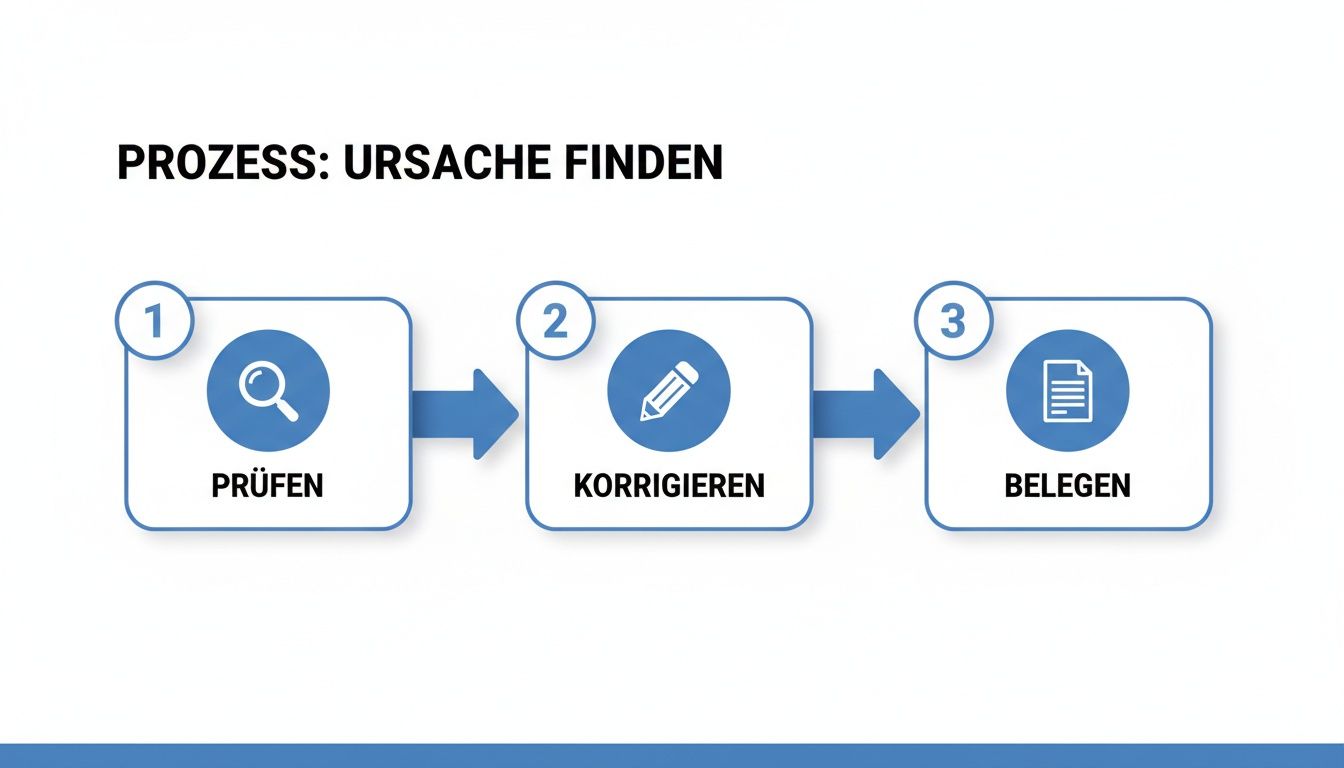
This graph sums it up: Before you submit anything, you need to do your homework. The review and correction phase is crucial, but is often skipped during the hustle and bustle.
The official request for restoration
There is a special form from Google for recovery. Put yourself in the position of the person who is reviewing your application: they don't know your company. Your job is to make it as easy as possible for that person to approve the recovery.
Please fill out the form meticulously. Any deviation from the data that Google has already stored about you can cause irritation and, in the worst case, rejection.
Evidence that really convinces Google
Google needs solid evidence that shows that your company really exists in the specified location. In our experience, only a few documents really count in the end.
Put together a small but powerful evidence folder:
- Business registration or commercial register extract: This is your most important document. It proves the official name and (usually) the address of your company.
- Bills from suppliers: A current electricity, water or Internet bill is valuable. It is important that it is issued in your company name and business address — the perfect proof of an active location.
- Photo from outside: Take a photo of the building on which you can clearly see your company sign and ideally the house number from the street.
- Photo from the inside: A picture that shows your business premises — be it the reception area, the workshop or the retail space. That proves that work is really being done here.
Practical tip: Save yourself the hassle of uploading business cards or flyers. These have hardly any evidentiary value for Google. Focus on official documents and authentic photos.
The right wording for your cover letter
There is a field in the form for a brief explanation. Use this space wisely. Stay factual and get to the point. Briefly explain which mistake you identified and how you corrected it.
A wording that works well in practice could look like this:
Dear ladies and gentlemen,
After checking our blocked profile (ID: [your profile ID]), we found that our company name contained an illegal addition (“Berlin”). We have corrected the name so that it now corresponds exactly to our official company name “Musterfirma GmbH”. A current excerpt from the commercial register is included.
In addition, we have precisely adjusted the location pin on the map to our main entrance. The attached photos document our outdoor signs and our business premises. We ask you to review and restore our profile again.
Best regards,
[your name]
This solution-oriented communication immediately signals to the support staff that someone understood the problem and acted proactively.
What's next and how long does it take?
Request submitted — and now? Now it's time to wait. Shortly after, you will receive an automatic confirmation of receipt with a case number. Save this email carefully.
The waiting time can vary significantly:
- The ideal case: In clear cases, it can already be 3-5 working days give an answer.
- The normal case: But you'd better plan with 1—3 weeks.
- Complex cases: Sometimes it also takes significantly longer, especially when Google has questions.
If you haven't heard anything after three weeks, you can reply to the original email and politely ask about the state of affairs, quoting your case number. However, do not submit a new application — this brings the process back to zero.
If you feel that you have already made fundamental mistakes when creating your profile, it's worth taking a look back at the basics. Our guide explains in detail how to make a Create a Google business profile correctly from scratch Can.
Avoid critical errors in the recovery process
Getting back to an active Google business profile can feel like a marathon. Stressed over the loss of visibility, mistakes often occur that unnecessarily lengthen the process. If you know the typical pitfalls, you'll reach your destination more safely.
Probably the biggest mistake is impatience. You send the application and don't hear anything for days. The impulse to simply send a second or third application afterwards is human, but counterproductive.
Multiple requests: Why you're only making things worse
Each time you submit a new claim, the system generates a new case number. That doesn't speed things up, but creates chaos. The support agent sees several pending requests and doesn't know which is relevant. Older tickets are then often closed and you slide back in the queue again.
Think of your first, carefully prepared application as your only ticket. If Google has any questions, always reply directly to this email. In this way, all communication remains bundled under one case number.
The quality of the information you submit is just as important. Vague wording and lack of evidence quickly lead to rejection. Stay precise and factual in your communication with Support.
Create a new profile? A fatal mistake
If the first application was rejected, the obvious idea is: “Then I'll quickly create a new profile.” That's the worst idea imaginable. Google is very reliable in detecting duplicates for the same location.
Google regards creating a new profile while the old one is blocked as an attempt to circumvent it. This can result in the end both profiles are permanently blocked become. In the worst case scenario, you lose any chance of visibility for this location. All of your collected customer reviews and photos would be gone forever. The only correct way is to restore the existing profile.
The power of complete and accurate data
Visibility in local search is the result of a carefully maintained profile. A German analysis has shown that companies with complete profiles have an 50% achieve a higher purchase probability. When you Google business profile blocked is, do you no longer exist for many potential customers, because around 46% All Google searches have a local purchase intent.
So make sure that your evidence is clear and up to date. A blurry scan of the business registration or a photo where the company sign is barely legible weakens your argument.
To avoid such problems, a well-thought-out strategy is crucial. In our guide, we'll show you how to Optimize Google company profile sustainably and thus reduce the risk of a future suspension.
How to protect your company profile from future bans
Your profile is back online — very good. Don't see this as an end point, but as a starting signal. The lock was a warning sign. Now it's a matter of maintaining your profile so that this issue doesn't happen again.
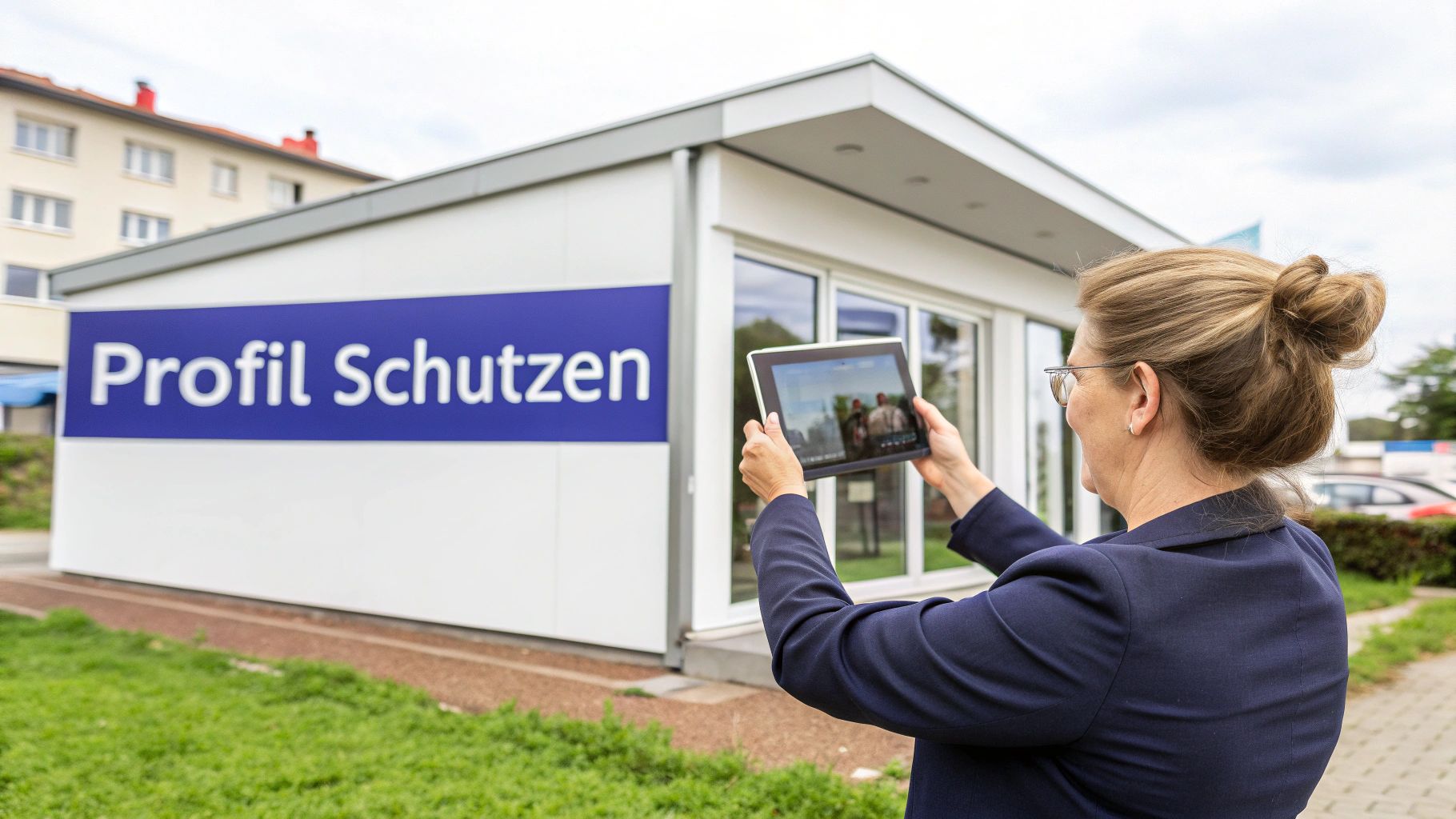
A well-maintained profile is a strong sign of trust for the Google algorithm. The livelier your presence appears, the less likely it is that you will automatically block it again. Google rewards profiles that are active and help users.
Activity as the best defense
A profile that stands still for months seems abandoned or irrelevant on Google. Regular updates, on the other hand, signal that this company exists, it is active and cares.
It doesn't have to be a big hassle. Regularity is the key. Take yourself 15-20 minutes per week It's time for that. This small bet can save you a lot of trouble.
What does “activity” mean? Here are a few simple habits:
- Check it weekly: Respond to new reviews — a quick thank you or a professional response to criticism shows that you're present. You can also answer questions in the Q&A section.
- Get creative once a month: Upload one or two new photos Show off your team, new products, or seasonal decoration. Post a short post about a current offer.
- Keep an eye on master data: Are the opening times still correct? Is the phone number correct? A quick check is particularly important before public holidays to avoid customer frustration.
Why consistency is so important to Google
Google's algorithm favors consistency. One of the strongest signs of your company's credibility is NAP data (Name, Address, Phone) Your company name, address, and phone number must be exactly the same across the web.
I mean really Exactly to the letter and character. Review your listings on your website, Facebook, business directories, and Google profile. Even a little thing like “street” instead of “street” can irritate the algorithm.
Think of your NAP data as your company's digital fingerprint. Any inconsistent print creates confusion. A clean, uniform database is the basis for a stable profile.
Checklist for preventive profile maintenance
Here's an overview to help you develop a profile maintenance routine.
Task frequencyWhy it's importantRespond to new reviewsEvery week, Google and customers signals that you are active and customer-focused.Upload new, authentic photosMonthly keeps the profile up to date and provides visual evidence of your business activity.Publish Google postsMonthlyShows activity and provides relevant information for potential customers.Check NAP data for consistencyQuarterly avoids algorithm confusion and strengthens your location's authority.Adjust opening and public holidaysWhen needed, prevents customer frustration and shows that your profile is being maintained.
If you proactively maintain your profile, you'll not only protect it from being blocked again, but you'll also improve your local ranking. If you want to dive deeper into the subject matter, check out our guide for more tips on how to make your Manage Google business profile and be able to optimize for maximum visibility.
Summary: How to recover your suspended profile
A blocked Google business profile is annoying but solvable in most cases. The key is to proceed systematically: Analyze the cause, fix the failure, and only then submit a well-documented recovery request.
The most important steps are:
- Root cause research: Check your name, address, category, and other data for policy violations.
- Bug fix: Fix any identified issues directly in your profile.
- Gather evidence: Prepare official documents (such as business registration) and photos of your location.
- Make an application: Fill out the recovery form only once, but be sure to complete it completely and precisely.
- Maintain patience: Wait for Google to respond and don't submit multiple requests.
If your application has been rejected several times, you cannot find the reason or the time pressure is high, professional help may be useful. An experienced agency knows the processes and can help you quickly bring your profile back online and secure it for the future.
If you need assistance in restoring your profile, feel free to contact us for a non-binding analysis. We help you to become visible on the digital map again.
Frequently asked questions about blocking a Google business profile
Has your Google business profile been suspended? Here you can find answers to the most frequently asked questions.
How long does it take for my Google Business Profile to be restored?
There is no standard answer. The duration depends on the individual case, the reason for the suspension and the workload of Google Support. If there is a simple mistake, it may take a few working days. More realistic, however, is a time window of one to three weeks. In complex cases, it can also take longer.
Tip: A complete and accurate recovery request is the best way to speed up processing. The easier you make it for support to understand your case, the faster you'll get an answer.
Will I lose my reviews and photos if my profile is suspended?
No A successful recovery will keep your reviews, photos, and posts. They are permanently connected to the ID of your profile. As soon as your profile is reactivated, everything is back again. For this reason, it is crucial to reactivate the blocked profile and not create a new one.
Can I just call Google to sort out the issue directly?
Unfortunately not. There is no special telephone hotline for problems with the Google company profile. The only official way is to submit a written application via the online form. Agencies also use this route as a central part of the process.
Yours Google business profile has been suspended and do you need professional help to be visible to your customers again as quickly as possible? The team of SocialEdge is by your side. We take a close look at your case, take care of all communication with Google and optimize your profile sustainably so that it is secure in the future.
Learn more about our specialized Google Maps marketing software and secure your top position.