Why a Google business profile is important for your business
Before we get to the practical guide, let's clarify the basis: Why is this profile not an optional addition but a necessity for every local company? This is due to changes in search behavior. Customers need information immediately and directly, without having to search for a long time on websites.
Your profile provides exactly that: opening hours, address, telephone number and customer reviews at a glance. It is the direct bridge between an online request and a real visit to your store.
The importance of Google for local search
The figures illustrate the situation. In Germany, the search is carried out primarily via Google, with a market share of around 86 percent across all devices. Mobile use is particularly relevant, because via 65 percent All searches take place on smartphones, where Google's share is almost 99 percent amounts to.
What does that mean for you? 46 percent All Google searches have a local connection (“hairdresser near me”, “Restaurant Hamburg”). And 42 percent The user clicks on the results in the so-called “Google Map Pack”. This data shows that anyone who does not appear here is invisible to many potential customers.
This screenshot shows how a well-maintained profile bundles the most important information in the search.
All relevant data is available at first glance — this creates trust and makes it easier for customers to contact them.
The strategic advantage of a company profile
A well-maintained profile is more than just a digital business entry. It is a central tool for local search engine optimization. It plays a decisive role in whether you appear in the “Map Pack” — the first three local results on the map.
An optimized Google business profile is often the first point of contact that a potential customer has with your store. This first impression determines whether someone calls, visits your website, or starts the route to you.
When you actively maintain your profile, you send positive signals to Google. They show that your information is relevant and up to date, which increases your chances of ranking well.
Instructions: How to create your company profile step by step
The theory is clear — now comes practice. Setting up a Google business profile is easy as Google will guide you through the process. However, the details are critical to your future visibility.
Create the basics: name, category and location
It all starts with a Google account. It is best to use a business email address to keep personal and professional matters separate. Then call the official page for the Google company profile click on and sign in.
The first thing Google asks for is your company name. Wear here The exact name one that your customers know you as and that is on your company sign. Resist the temptation to add keywords or location as this is against guidelines and could result in suspension. A hair salon called “Schnittpunkt” in Cologne should therefore simply “Intersection” They are not called “Best Hairdresser Schnittpunkt Köln”.
This is immediately followed by the election of main category. This is an important setting for your ranking because it tells Google what you're offering at the core. Be as specific as possible. A restaurant that specializes in pizza should choose “pizzeria” or “Italian restaurant,” not just the general “restaurant.”
Define location and catchment area correctly
Now Google wants to know if customers can visit you in a physical location.
- Yes, I have a shop or office: Please enter your exact address here. This address appears later on Google Maps and is the basis for the “plan route” function.
- No, I'm going to my customers: This is the option for outdoor service providers such as tradesmen or mobile consultants. Instead of an address, define your catchment, i.e. the cities or postal code areas in which you operate.
This information is crucial for Google to display your profile for the right local searches.
The following graphic shows how a correctly set up profile contributes to customer acquisition.
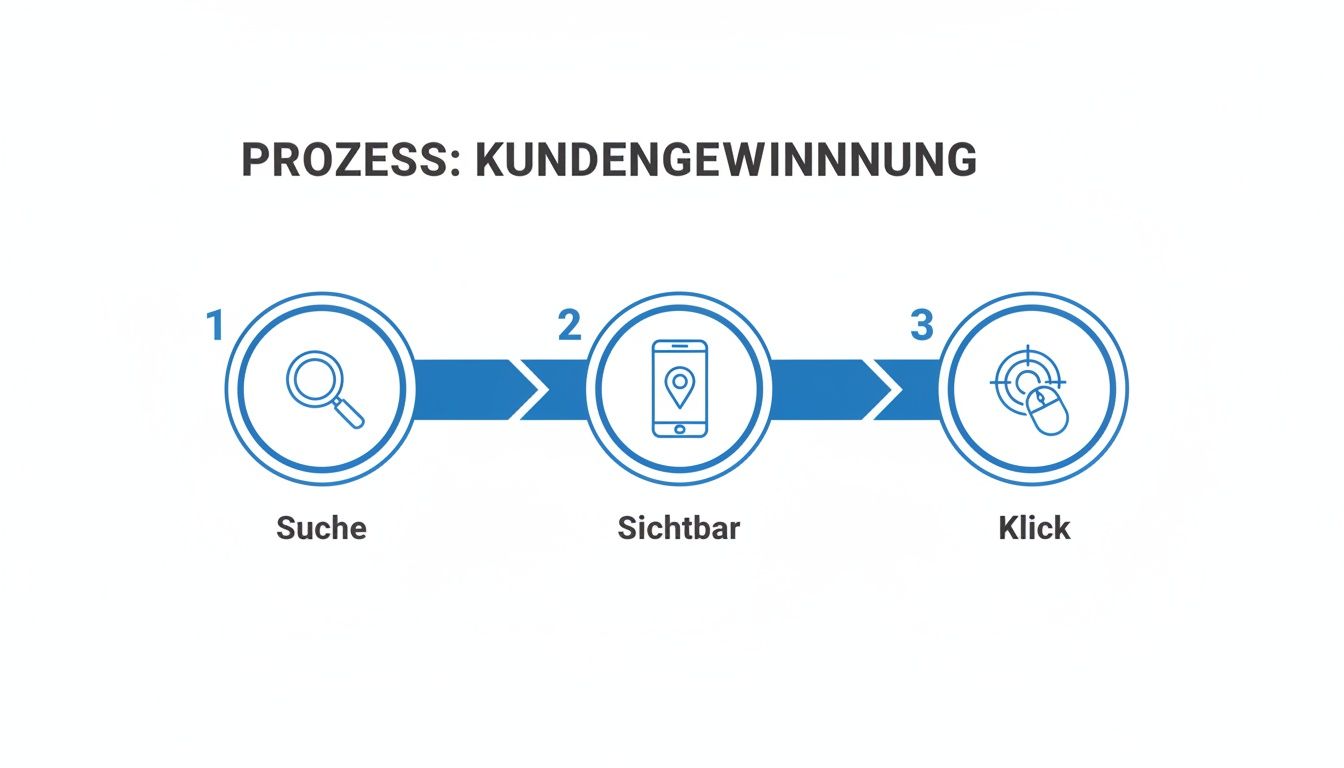
The process is simple: someone searches, you are found, the customer interacts.
The last step: verification
The most important final step is verification. This proves to Google that your company exists and that you are the legal owner. Your profile will only be publicly visible after a successful verification.
Google offers various methods, which may vary depending on the industry:
- postcard: You will receive a postcard with a code to your business address. This can be up to 14 days last.
- Phone or SMS: It's faster if Google sends you a code via call or text message to your registered business number.
- email: The code is sent to your email address, often an address with your own company domain (
info@mein-unternehmen.de) Prerequisite. - Video recording: A newer method where you shoot a short video showing things like your shop sign, business premises, and work equipment.
Important note: Do not change core data such as name, address, or category during the ongoing verification process. Any change can stop the process and throw you back to the beginning.
Once you've entered the code, the basic framework is ready and your profile is live. The optimization starts now.
How to optimize your profile for better local search rankings
A verified Google company profile is the basis. To be successful in local search, you must actively maintain it. Think of it as a marketing tool that needs to be updated regularly.
Google's algorithm favors profiles that are complete, up-to-date, and useful to the searcher. Every area of your profile is a chance to send the right signals.
Enter categories and services precisely
Your main category was the first step. Be sure to take advantage of the opportunity secondary categories add to represent your entire offering. For example, a restaurant (main category) can add “beer garden” or “catering” to be found in specific searches such as “nearby beer garden.”
Then fill out the “Services” or “Products” section in detail. Describe each service using appropriate terms. A painting company should not only list “painting work” here, but also:
- Façade painting
- wallpapering
- painting work
- Mould removal
Each of these entries increases the chance of being found by the right customers.
Keep things up to date with photos and contributions
Authentic photos are important to create trust. Upload high-quality images regularly that provide real insight into your business.
- Outdoor shots: Show off your business from the outside to help customers find their way around.
- Interior photos: Give an impression of the atmosphere in your rooms.
- Team photos: Introduce the people behind the company to make a personal connection.
- At work: Show off your products in action or your team at work.
You can also use the Contribution function (Google Posts) for news, promotions or seasonal offers. One post per week signals to Google that your company is active and relevant.
A consistently maintained profile with current posts and new photos is rated as more relevant by the algorithm. This activity is a direct ranking factor.
This table summarizes the key elements for optimizing your Google business profile.
Overview of the most important areas of optimization
Optimization area actionWhy it's importantcategoriesAdd main and all relevant secondary categories. Increases visibility for specific search queries and clearly differentiates your offer from the competition.servicesDescribe all services or products offered in detail with keywords. Allows Google to precisely assign your offer and display them in relevant searches.Photos & videosUpload authentic, high-resolution images and videos regularly. Increases trust, length of stay and interaction rate. Visual content is rated positively by the algorithm.Contributions (posts)Publish current offers, news, or events at least once a week. Signals Google activity and relevance. Keeps customers informed and encourages clicksNAP consistencyMake sure that the name, address and telephone number are the same everywhere online. Creates trust with Google and avoids confusion, which leads to a more stable ranking.Questions & answersProactively ask the most common customer questions and answer them yourself. Build a useful FAQ section that reduces uncertainty and places important keywords naturally.valuationsActively ask for reviews and respond to each one (positively and negatively) in a timely manner. Stronger social proof, improves local authority and provides valuable feedback. Interaction is a strong ranking signal.
Each of these areas helps build a strong and trustworthy profile.
NAP consistency and the Questions & Answers section
An often overlooked but important factor for local SEO is NAP consistency. NAP stands for NAme, Adress, PHone. These three core data must be exactly the same across the Internet: on your website, in other directories, and in your Google business profile. Even the slightest discrepancies can confuse Google and have a negative impact on your ranking.
Another useful tool is the “Questions & Answers” section. Don't wait for customers to ask questions. Take action yourself:
- Collect the most common questions from your customers.
- Have a friend or colleague post these questions to your profile using their Google account.
- Then answer these questions promptly and in detail via your owner account.
This is how you build a valuable FAQ section that reduces uncertainty among potential customers. If you want to go even deeper, read our article to find out how to target your Improve Google Maps ranking.
Build trust and win customers with reviews
Customer reviews are of great importance for local marketing. They not only influence the purchase decision, but also send positive signals to the Google algorithm.

A profile with lots of positive reviews looks more credible and proves that your business is appreciated by real customers.
How to actively collect positive feedback
Make it as easy as possible for happy customers to leave a review. Ask for feedback actively but in an unobtrusive way. The best time to do this is right after a positive customer experience.
Here are a few best practices:
- The personal request: Reach out to satisfied customers directly. A sentence such as “If you were satisfied, we would appreciate a short review on Google” is personable and effective.
- QR code in store: Place a QR code that leads directly to the Google review form, clearly visible at the checkout or on your business cards.
- Link in email signature: Include a direct review link in your email signature
Important: Don't offer discounts or other incentives for reviews. This is against Google guidelines.
Professional handling of negative reviews
A negative review is not a problem, but an opportunity. Your response can make a positive impression on other potential customers as it shows that you take feedback seriously.
Respond always public, timely and professional on negative feedback. A well-thought-out answer can win back the dissatisfied customer and signals your service orientation to all other readers.
Thank you for the feedback, apologize for the negative experience, and offer a solution. Move further discussion to a private channel, such as: “Please email us so we can personally address your concerns.” Such interactions are an important part of your content marketing strategybecause they create authenticity.
The importance of reviews is confirmed by figures: Since 99 percent of consumers Read online reviews, a well-maintained profile can increase conversion rates by up to 4.4 percent boost. That is crucial because 75 percent of users Just look at the first page of search results. More Google search statistics can be found on affmaven.com.
If you discover a fake or inappropriate review, you can report it to Google for review.
Analyze and understand your profile's performance
A Create a Google business profile And caring is one thing. However, you won't recognize the true value until you analyze the performance data. Google provides the most important insights directly in the profile dashboard.
These performance reports show you how prospects are interacting with your profile and help you understand which optimizations are working. Regular analysis makes it possible to continuously improve your strategy.
The most important key figures in the dashboard
Start by focusing on the three most important areas:
- searches: Here you can see the exact search terms that users used to find your profile. You can use these keywords to further optimize your descriptions and services.
- Interactions: Here's what users do after they've found you: calls, clicks on your website, or requests directions. An increase in route planning after uploading new photos shows, for example, that visual content works.
- Profile views: This number shows how often your profile appeared in Google Search and Google Maps. It is an indicator of your overall visibility.
A common mistake is to focus only on the pure number of views. Interactions are more important. 10 calls are more valuable to your business than 1,000 profile views without further action.
Demonstrate ROI with UTM parameters
For a deeper analysis, you can specifically track traffic from your company profile. To do this, attach so-called UTM parameters to the link to your website. This allows you to use analysis tools such as Google Analytics 4 Track exactly which visitors came via this channel and what they did on your website.
This allows you to prove the return on investment (ROI) of your local SEO measures. This is important when you consider that 70 percent of searches have an informative purpose and more 22 percent aim directly at a purchase. More Google search statistics can be found on affmaven.com.
Keep an eye on your KPIs, such as calls and directions, to see the value of your profile and adjust your strategy based on data.
Plan for the long-term success of your company profile
Your Google business profile isn't a one-time project. It is a dynamic figurehead that requires regular maintenance to deliver results.
Consider the following points as your personal roadmap:
- The foundation must be right: Is all core data — name, address, telephone number (NAP) — accurate and consistent everywhere?
- Stay active: Upload new photos regularly and post recent posts.
- The dialogue counts: Respond promptly to every single review, whether positive or negative.
- Analyze figures: Take a look at performance reports at least once a month and adjust your strategy based on the insights.
Continuously maintaining your profile is just as important today as entering a classic Online business directory.
Google Business Profile FAQs
Finally, we answer some frequently asked questions from practice.
How long does verification take?
The duration depends on the verification method that Google offers you. Verification by mail can be up to 14 working days last. Digital methods such as telephone, SMS, e-mail or video call are often completed within a few minutes. The options available depend on factors such as your industry or your company's previous online presence.
Is the Google business profile free?
Yes, creating and maintaining the profile is free of charge. You can use all core features without paying for them. Optionally, you can use Google Ads Place paid ads to further promote your profile. However, organic visibility remains unaffected and is always free.
A good ranking does not depend on the advertising budget. Google rewards well-maintained, relevant profiles that provide users with added value.
Do I need a fixed business address?
No, it is not absolutely necessary. If you serve your customers locally (e.g. as a craftsman or consultant), instead of an address, you can use your catchment define. Your private address remains invisible. Instead of a pin on the map, Google then shows a shaded area that marks your service area.
synopsis
A Google company profile is an indispensable and free tool for local customer acquisition. Creation is the first step, but long-term success depends on continuous maintenance. Provide complete and accurate data, keep your profile up to date with photos and posts, actively collect reviews and respond to them. Analyze your profile's performance regularly to optimize your strategy and sustainably increase your local visibility.
Would you like to ensure that your company is optimally positioned on Google? SocialEdge is specialized software that puts your company in the top 3 on Google Maps even without an advertising budget. We take care of continuous optimization so that you can focus on your business. Explore SocialEdge and secure your advantage.